USB-C Cable E-Marker Decoder & Compatibility Checker
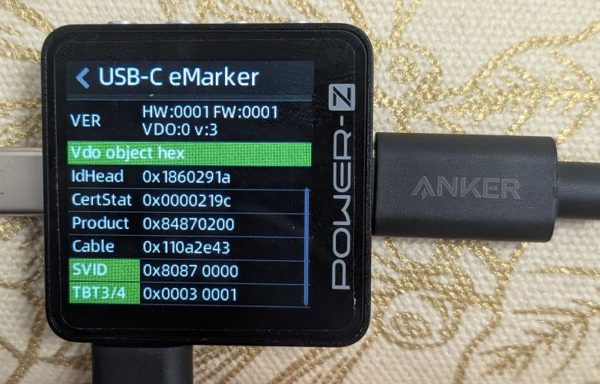
USB-C cables that support more than the most basic features (60 W power and USB2 data) have a tiny chip inside, the e-marker, that reports what the cable claims to support. This tool decodes those reported capabilities and checks the fields for conflicts:
- Enter the Cert Stat / XID to check it against the USB-IF public registry for a matching listing, its recorded status, and other products associated with the same XID.
- Decode the chip's data to see its reported power rating, data speed, and Thunderbolt and USB4 support.
- Run over 150 checks against USB and Thunderbolt 3 rules to flag invalid encodings and reported capabilities that contradict one another.
- Share your results with a link so others can see the cable's data and tell whether it has any issues or problems.
To get started, read your cable with an inexpensive USB-C tester like the KM003C and copy the hex values from its screen into the matching fields below.